Form 2553 is the IRS election form that converts your LLC's tax treatment from a default sole proprietorship to S-Corp status. It's free to file, takes about 20 minutes to complete, and — if your income is above the break-even threshold — can save you thousands of dollars per year in self-employment taxes.
This guide walks you through every field, every deadline, and every common mistake. Before filing, use our S-Corp Readiness Assessment to confirm you've addressed all five readiness dimensions — electing S-Corp before you're operationally ready creates more problems than it solves.
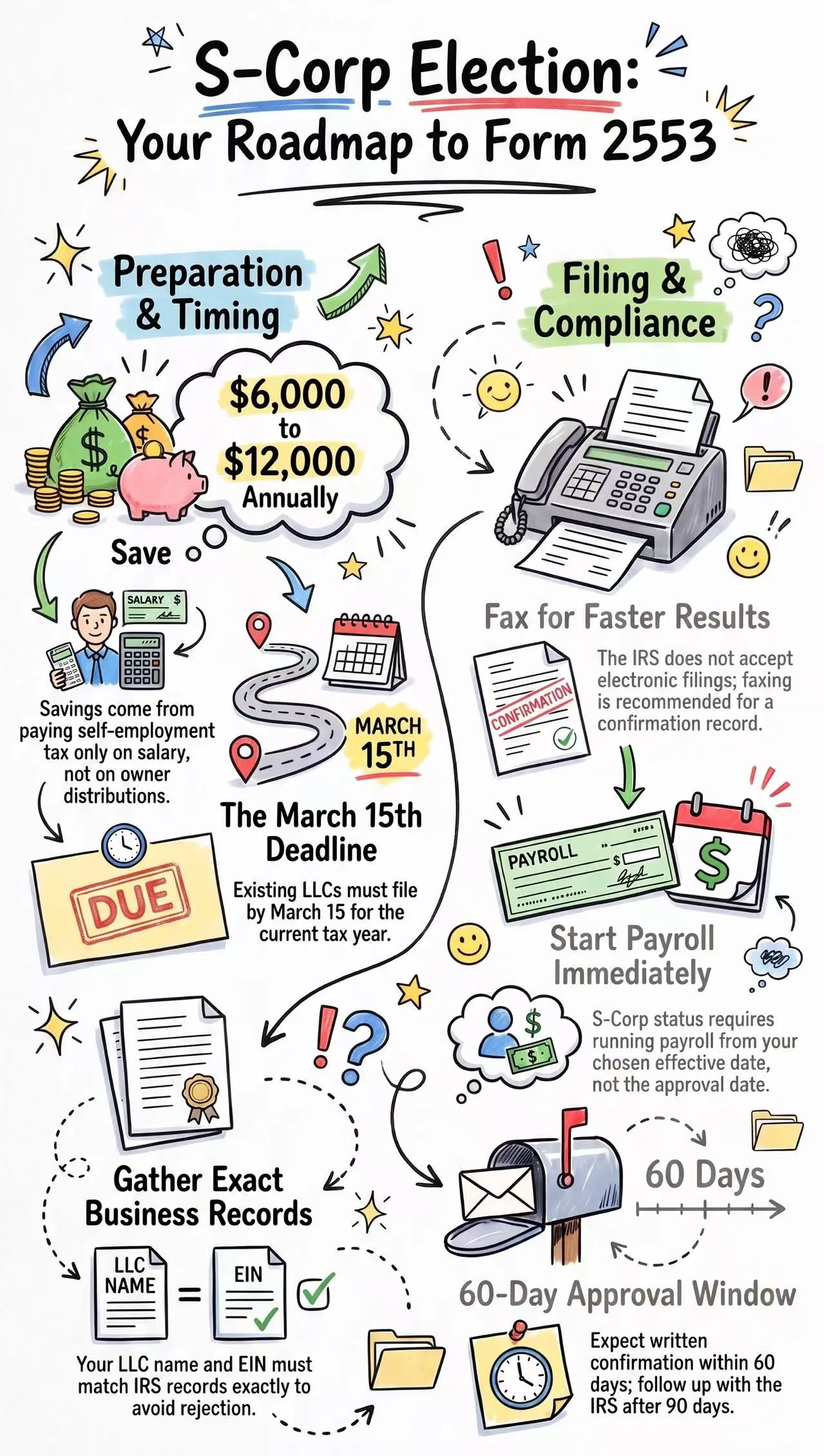
What Form 2553 Does
By default, a single-member LLC is a "disregarded entity" for federal tax purposes — all business income flows to your personal return as self-employment income, subject to the 15.3% SE tax on every dollar of net profit. Form 2553 changes this so that:
- You split your income into a W-2 salary (subject to payroll taxes) and owner distributions (not subject to payroll tax)
- You only pay payroll taxes on the salary portion
- The remaining profit taken as distributions is taxed as ordinary income but not subject to self-employment or payroll tax
The savings come from that distribution portion. At $100,000 net income with a $60,000 salary, you'd pay payroll taxes on $60,000 instead of $100,000 — saving roughly $6,120 in a year. At $150,000 income with a $70,000 salary, the savings are closer to $12,000.
2026 Filing Deadlines
| Situation | Deadline |
|---|---|
| Existing LLC, want election for current tax year (2026) | March 15, 2026 |
| New LLC formed in 2026, want election for 2026 | 2 months and 15 days from formation date |
| Want election for next tax year (2027) | Any time during 2026 |
| Missed deadline, requesting late election relief | As soon as possible — file with explanation |
Important: The March 15 deadline for existing LLCs is firm for automatic approval. After that date, you need to request late election relief — but the IRS grants this frequently for businesses with reasonable cause, so missing the deadline doesn't necessarily mean waiting until next year.
What You Need Before You Start
- Your LLC's legal name exactly as registered with your state
- Your LLC's EIN (Employer Identification Number)
- Your LLC's formation date and state of formation
- The tax year you want the election to apply to
- Your proposed W-2 salary amount (have this figured out before filing)
- Your mailing address on file with the IRS
Form 2553 Step by Step
Part I — Election Information
Line A — Name and address: Enter your LLC's legal name exactly as it appears on your EIN registration. The name must match IRS records precisely.
Line B — Employer Identification Number: Your 9-digit EIN in XX-XXXXXXX format. Do not use your Social Security Number here.
Line C — Date incorporated: The date your LLC was officially formed (the date shown on your state Articles of Organization, not the date you started operating).
Line D — State of incorporation: The state where your LLC is registered. If you operate in one state but registered in another, use your state of registration.
Line E — Election effective date: The date you want S-Corp status to begin. For current-year elections, this is typically January 1 of the current tax year. For new LLCs, this is your formation date.
Line F — Tax year: Select "Calendar year" for most LLCs (January 1 – December 31). Fiscal years require additional approval and are unusual for single-member LLCs.
Line G — Name and title of officer: Your name and title. For a single-member LLC, your title is typically "Owner" or "Managing Member."
Line H — Phone number: A number where the IRS can reach you with questions about the election.
Part I — Shareholder Consent (Column K through N)
For a single-member LLC, you are the only shareholder. Complete one row:
- Column J: Your name and address
- Column K: Sign and date
- Column L: The date you acquired your LLC membership interest (typically your formation date)
- Column M: Your tax year end (December 31 for most)
- Column N: Social Security Number or EIN
Part II — Selection of Fiscal Tax Year (if applicable)
Most single-member LLCs skip this section entirely. Leave it blank unless you have a specific reason to use a non-calendar fiscal year, which requires additional justification.
Part III — Qualified Subchapter S Trust (QSST)
Skip this section. It applies only when trust ownership is involved, which is not typical for a standard single-member LLC.
Part IV — Late Corporate Classification Election
Complete this section only if you are filing after the deadline and requesting late election relief. Include a statement explaining why the election was late and confirming that the LLC intended to be classified as an S-Corp from the election date forward.
Where to File Form 2553
Form 2553 is filed by mail or fax — not electronically. The IRS Service Center address depends on your state:
| If you're located in... | File with... |
|---|---|
| Connecticut, Delaware, DC, Georgia, Illinois, Indiana, Kentucky, Maine, Maryland, Massachusetts, Michigan, New Hampshire, New Jersey, New York, North Carolina, Ohio, Pennsylvania, Rhode Island, South Carolina, Tennessee, Vermont, Virginia, West Virginia, Wisconsin | Department of the Treasury, Internal Revenue Service, Cincinnati, OH 45999 |
| All other states | Department of the Treasury, Internal Revenue Service, Ogden, UT 84201 |
If faxing: Cincinnati fax is (855) 270-4081; Ogden fax is (855) 214-7520. Faxing is faster and gives you a confirmation record — recommended over mailing.
After You File: What to Expect
The IRS typically sends written confirmation of your S-Corp election within 60 days. If you don't receive confirmation after 90 days, follow up by calling the IRS Business & Specialty Tax Line at 1-800-829-4933.
Once confirmed, you need to:
- Set up payroll immediately — S-Corp status takes effect from your election date, meaning you should have been running payroll from that date. Set up Gusto or a similar service as quickly as possible and make any retroactive payroll adjustments your CPA recommends.
- Notify your CPA — Your tax filing requirements change significantly. You'll now need Form 1120-S in addition to your personal return.
- Adjust your quarterly tax payments — Your estimated tax payments will change because a portion of your tax is now handled through payroll withholding. Work with your CPA to recalculate.
Late Election Relief: What to Do If You Missed the Deadline
If you missed the March 15 deadline, don't panic. Revenue Procedure 2013-30 allows the IRS to grant relief for late S-Corp elections when:
- The LLC failed to qualify as an S-Corp solely due to the late filing
- The LLC has reasonable cause for the late filing
- The LLC has been operating as if it were an S-Corp (or intended to from the start)
To request late election relief, file Form 2553 with a statement at the top: "FILED PURSUANT TO REV. PROC. 2013-30." Attach a brief explanation of why the election was late. The IRS grants this relief frequently — it's not a guaranteed outcome, but refusal is uncommon for businesses with plausible explanations.
Common Mistakes When Filing Form 2553
1. Name doesn't match IRS records
The LLC name on Form 2553 must exactly match what's on your EIN registration. Check your EIN confirmation letter (CP 575) for the exact name format the IRS has on file.
2. Wrong election date
For a January 1 effective date, enter January 1 of the current year — not your filing date. Many people accidentally enter the date they're filling out the form.
3. Filing without having payroll set up
S-Corp status requires payroll from the effective date. If you elect effective January 1 but don't set up payroll until April, you technically owe retroactive payroll deposits and penalties for Q1. Set up payroll before or immediately after filing.
4. Not having a documented reasonable salary
File with a salary in mind, not just an election. Before filing, research BLS wage data for your role and document your rationale. This doesn't go on the form itself, but you need it established before payroll begins.
5. Filing in the wrong location
The IRS Service Center that processes your form depends on your state. Filing at the wrong address delays processing significantly.
Check Your Readiness First
Filing Form 2553 is straightforward. What comes before and after it — salary research, payroll setup, CPA relationship, clean financial records — is where most people encounter problems. Our S-Corp Readiness Assessment checks all five dimensions and tells you exactly what to address before you file.
Frequently Asked Questions
Can I file Form 2553 online?
No — Form 2553 must be filed by mail or fax. The IRS does not accept electronic submissions for this form. Faxing is generally faster and gives you a confirmation page as proof of filing.
Do I need a lawyer or CPA to file Form 2553?
No. The form itself is straightforward enough to complete yourself. What you do need a CPA for is the ongoing S-Corp compliance: running payroll, making quarterly payroll deposits, and filing Form 1120-S each year. Get your CPA relationship established before or alongside filing the election.
How long does S-Corp election approval take?
Typically 60 days for written confirmation. However, the election is effective from the date you specify on the form — not from the date of IRS confirmation. You should be running payroll from your election date, even while waiting for confirmation.
What if my LLC has multiple members?
Multi-member LLCs can also elect S-Corp status, but all members must sign the consent in Part I of Form 2553. S-Corp status also restricts who can be a shareholder — S-Corps cannot have non-resident alien shareholders, more than 100 shareholders, or more than one class of stock. Most single-service LLCs don't face these restrictions, but multi-member setups should review the